

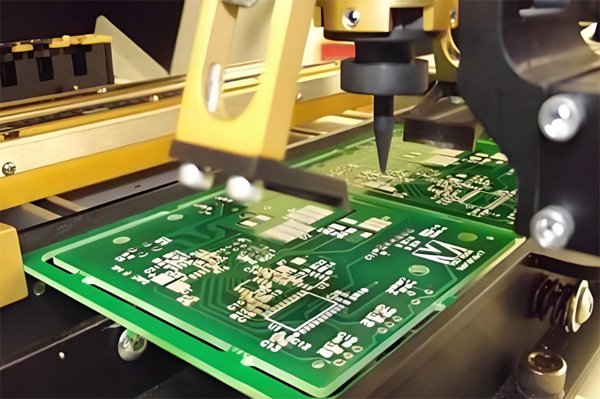
PCB board fix is something every electronics hobbyist or technician should know. I’ve repaired many boards and found that most issues—like broken traces, burnt parts, or short circuits—can be solved with simple tools and careful work. This guide shows how to find faults, make safe repairs, and restore your PCB to full function easily.
- Part 1. What causes a PCB board to fail and how can I fix it?
- Part 2. How do I find broken traces on a PCB board?
- Part 3. How do I repair lifted pads on a PCB board?
- Part 4. Can I fix cracked PCB-board substrate or cracked board?
- Part 5. How do I replace damaged components on a PCB board?
- Part 6. How do I repair short circuits on a PCB board?
- Part 7. What tools do I need to fix a PCB board?
- Part 8. How do I test a PCB board after repairing it?
- Part 9. Can I repair a PCB board with surface-mount devices (SMDs)?
- Part 10. How do I restore solder mask on a repaired PCB board?
- Part 11. FAQs about PCB Board Fix
Part 1. What causes a PCB board to fail and how can I fix it?
PCB failures can result from overheating, physical damage, corrosion, poor solder joints, or electrical overload. To fix them, start by inspecting for visible burns or cracks, test components with a multimeter, and resolder loose joints. Replace damaged parts and repair broken traces using conductive ink or jumper wires. Always ensure the board is clean and free of moisture before reassembly.
Part 2. How do I find broken traces on a PCB board?
Inspect the board under bright light or a magnifier to spot visible cracks or discoloration. Use a multimeter in continuity mode—place the probes on both ends of the suspected trace. If there’s no beep or reading, the trace is broken. You can repair it by carefully scraping off the solder mask, exposing the copper, and bridging the gap with solder or a thin wire.
Part 3. How do I repair lifted pads on a PCB board?
Lifted pads often result from excessive heat during soldering. To repair, clean the area and ensure the pad isn’t fully detached. Secure it with epoxy or superglue. Once dry, reconnect it electrically by soldering a thin wire between the pad and the trace it connects to. Avoid overheating in the future by using temperature-controlled soldering tools.
Part 4. Can I fix cracked PCB-board substrate or cracked board?
Yes, minor cracks can sometimes be repaired. Clean the area and apply epoxy adhesive to seal and strengthen the board. If traces are broken along the crack, scrape off the solder mask on each side and reconnect them with fine wires or copper tape. However, if the board is severely fractured or multilayered, replacement is often more practical and reliable.
Part 5. How do I replace damaged components on a PCB board?
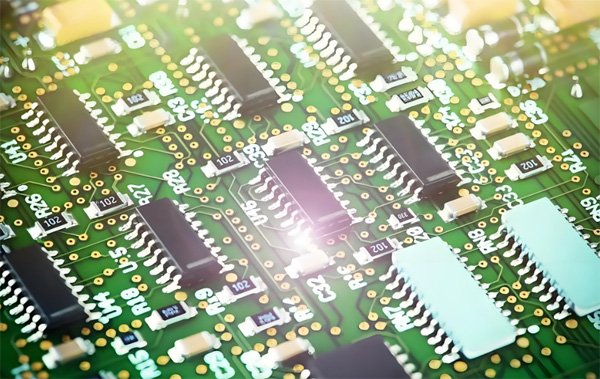
Start by identifying the faulty component using a multimeter or visual inspection. Desolder it using a soldering iron or hot-air rework station. Clean the pads with desoldering braid and apply fresh solder. Then, place and solder the new component carefully. Always ensure correct polarity for components like diodes, capacitors, or ICs before powering the board.
Part 6. How do I repair short circuits on a PCB board?
Visually inspect for solder bridges, stray wires, or debris. Use a multimeter in resistance mode to locate shorted points between power and ground. Once found, desolder excess solder, clean with isopropyl alcohol, and reapply solder neatly. If the short is internal, you may need to cut the trace and reroute it using a thin wire to isolate the fault.
Part 7. What tools do I need to fix a PCB board?
Essential tools include a temperature-controlled soldering iron, multimeter, tweezers, flux, desoldering pump or braid, magnifier, and precision screwdrivers. For advanced repairs, a hot-air rework station, microscope, and solder paste are useful. Epoxy, conductive ink, and fine wires help with trace or pad repairs. Always work on an anti-static surface.
Part 8. How do I test a PCB board after repairing it?
Visually inspect for correct solder joints and no accidental bridges. Use a multimeter to check continuity, resistance, and voltage across key points. Power the board through a current-limited supply to prevent further damage. If possible, connect to the circuit’s intended load or run built-in diagnostics to confirm functionality and stability.
Part 9. Can I repair a PCB board with surface-mount devices (SMDs)?
Yes, but it requires precision. Use a hot-air rework station or soldering iron with a fine tip. Apply flux, gently heat the component until solder melts, and remove it with tweezers. To replace, position the new part, apply solder paste, and heat evenly. Avoid overheating adjacent components by using heat shields or temperature control.
Part 10. How do I restore solder mask on a repaired PCB board?
Clean the repaired area thoroughly with isopropyl alcohol. Apply solder mask repair resin or UV-curable paint over the exposed copper. Smooth it with a toothpick or small brush, then cure it under UV light or sunlight for several minutes. This protects the copper from oxidation and prevents accidental shorts during future soldering or use.
Part 11. FAQs about PCB Board Fix
How do I handle BGA (Ball Grid Array) component repairs on a PCB board?
BGA repair requires precision equipment such as a rework station with temperature control. The chip is heated evenly to reflow solder balls, then carefully removed or replaced. Proper alignment and inspection (X-ray or microscope) are crucial for success.
What safety precautions should I take when working on a PCB board?
Always unplug power sources, wear anti-static wrist straps, and work in a well-ventilated area. Avoid inhaling solder fumes and use protective eyewear when soldering or cutting traces. Handle components gently to prevent ESD or heat damage.
When should I replace a PCB board rather than repair it?
Replace the PCB when it has severe burn marks, multiple layer delaminations, or irreparable cracks. If repair costs or time exceed the board’s value or reliability requirements, full replacement is the practical choice.
How do I clean a PCB board before repair (corrosion, oxidation)?
Use isopropyl alcohol and a soft brush to remove dust, flux, and corrosion. For oxidation, apply mild contact cleaner or vinegar, then rinse and dry thoroughly. Ensure the board is moisture-free before soldering or powering it again.
What are common mistakes to avoid when fixing a PCB board?
Avoid using too much heat, excessive solder, or improper cleaning materials. Don’t skip testing after each repair step, and always ensure components are oriented correctly. Rushing or ignoring ESD protection often leads to further damage.
 English
  Spanish